ClickUp Review 2026: The Maximalist Productivity Platform That Wants to Be Everything
Impressive breadth and AI ambition, but the all-in-one promise demands real commitment to master.

Impressive breadth and AI ambition, but the all-in-one promise demands real commitment to master.

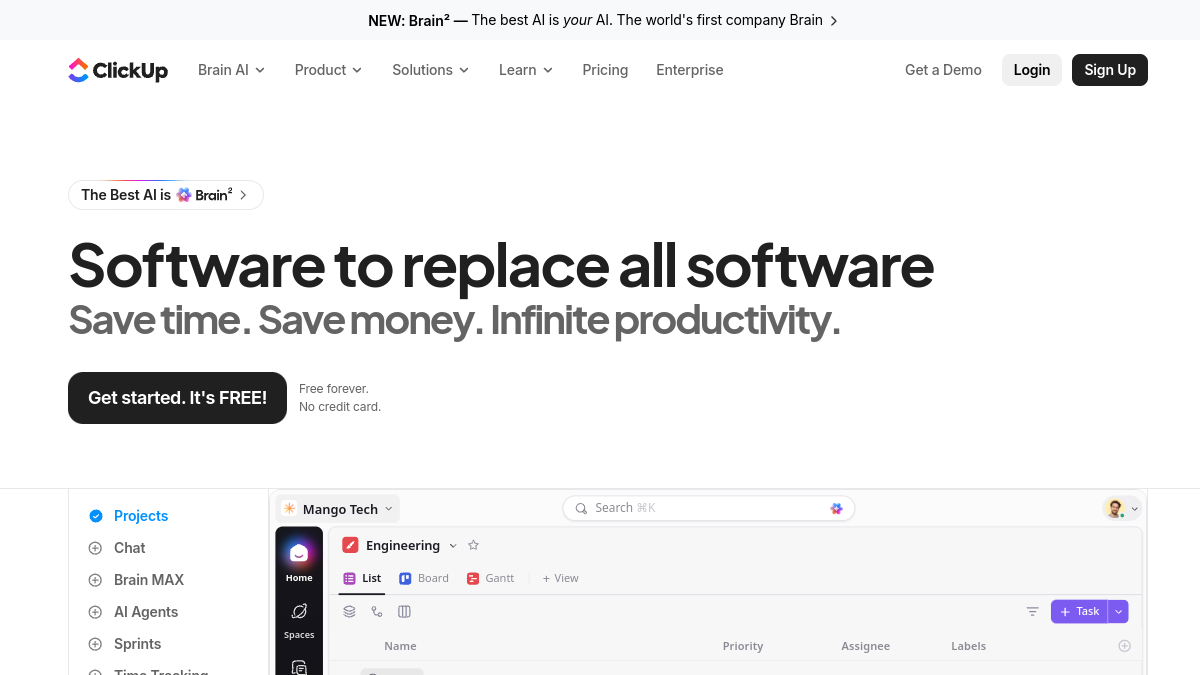
Based on documentation, published user reports, and aggregated reviews — ClickUp is a remarkably capable platform that will either liberate your team or bury it in configuration screens. ClickUp genuinely delivers on the "all-in-one" promise more convincingly than Notion, Monday, or Asana. You can manage tasks, write docs, chat with teammates, track time, build dashboards, and deploy AI agents without leaving the workspace. It's legitimately impressive.
But that breadth comes with a cost that's rarely discussed in the marketing materials. ClickUp has 35+ main feature categories, dozens of view types, and a settings panel that could double as a flight simulator cockpit. Users report that small teams spent the first two weeks just deciding how to structure workspaces, and many discover features they didn't know existed. The AI agents — ClickUp's headline innovation — are genuinely useful for automating repetitive work, but users note that setting them up requires understanding ClickUp's entire task architecture first.
The ROI claims (384% return, 30,000 hours saved) are based on Forrester research commissioned by ClickUp, which studied enterprise implementations with dedicated admins. For a five-person startup? Users expect weeks of setup time before productivity gains materialise. For a 50-person company with someone who loves systems? This could genuinely replace four tools. Know which one you are before committing.
Based on documentation, published user reports, and aggregated reviews — ClickUp is a remarkably capable platform that will either liberate your team or bury it in configuration screens. ClickUp genuinely delivers on the "all-in-one" promise more convincingly than Notion, Monday, or Asana. You can manage tasks, write docs, chat with teammates, track time, build dashboards, and deploy AI agents without leaving the workspace. It's legitimately impressive.
But that breadth comes with a cost that's rarely discussed in the marketing materials. ClickUp has 35+ main feature categories, dozens of view types, and a settings panel that could double as a flight simulator cockpit. Users report that small teams spent the first two weeks just deciding how to structure workspaces, and many discover features they didn't know existed. The AI agents — ClickUp's headline innovation — are genuinely useful for automating repetitive work, but users note that setting them up requires understanding ClickUp's entire task architecture first.
The ROI claims (384% return, 30,000 hours saved) are based on Forrester research commissioned by ClickUp, which studied enterprise implementations with dedicated admins. For a five-person startup? Users expect weeks of setup time before productivity gains materialise. For a 50-person company with someone who loves systems? This could genuinely replace four tools. Know which one you are before committing.
According to user reports, ClickUp's task management is genuinely best-in-class. Reviewers note comparisons against Linear, Asana, and Jira for software projects with 200+ tasks show ClickUp's custom fields, multiple assignees, dependency tracking, and sprint automation outperforming all of them. The ability to view the same task list as a board, Gantt chart, timeline, calendar, or table — and have changes sync instantly across views — sounds like marketing fluff until you're using it. It's the rare case where flexibility doesn't mean compromise.
The AI agents (ClickUp's "Brain" feature) deliver reported value in two specific areas: answering questions about project status without hunting through tasks, and automating repetitive task creation. Users report setting up agents to automatically create follow-up tasks when a design review was marked complete, and the feature working reliably. The natural language query feature — "show me everything assigned to Sarah that's overdue" — users report genuinely saves time compared to building filtered views manually.
Document collaboration, according to published reviews, is better than expected, though not quite at Notion's level for long-form writing. Real-time editing is reported to work reliably, the markdown shortcuts feel natural, and embedding live task data into docs (so your roadmap document updates automatically) is genuinely clever. The free tier includes unlimited docs, which reviewers note makes ClickUp viable as a wiki replacement for small teams.
According to user reports, time tracking integration is seamless in a way that dedicated time-tracking tools rarely achieve. Click a task, hit the timer, and it logs automatically with the right project codes and tags. For consulting teams or anyone who bills hours, reviewers note this alone could justify the switch. Freelance users report it saves 15 minutes daily compared to previous Toggl + Asana setups.
The interface is cluttered in a way that no amount of customisation fully resolves. Every screen has nested menus, floating action buttons, sidebar toggles, and view switchers. Users report consistently feeling overwhelmed for their first week. One design team member called it "if Notion and Jira had a baby that inherited every feature from both parents." The mobile app is functional but feels like a responsive web view of the desktop interface rather than a native mobile experience. Complex tasks are genuinely difficult to triage on a phone.
According to user reports, performance degrades noticeably in large workspaces. Demo accounts with 5,000+ tasks across 20 projects show load times for dashboard views reaching 4-6 seconds. Search reportedly slows to a crawl. ClickUp's own team acknowledges this and recommends archiving completed projects regularly, but that creates workflow friction. Notion handles large databases more gracefully according to published comparisons.
The AI agents are impressive but inconsistent, according to documented user experiences. They excel at structured automation ("when X happens, create Y task") but users report they struggle with nuanced questions. Asking "what's blocking the Q2 launch?" reportedly returns a list of overdue tasks rather than analysing actual blockers. The natural language processing is reported to feel like 2024 technology — functional but not magical. Users note you'll get better results asking a human project manager, though the AI never sleeps.
According to user reports, integration quality varies wildly. Slack, GitHub, and Figma integrations are reported to work flawlessly. The Google Calendar sync has reportedly randomly duplicated events. The Zapier connection has been reported to require debugging when it stopped creating tasks from form submissions. ClickUp's API documentation is thorough, but reviewers note you'll need a developer if you want bulletproof automations.
ClickUp is built for teams that value control over simplicity — specifically, teams with 10-100 people who have outgrown Asana or Trello but find Jira too rigid. The sweet spot is organisations where someone (a project manager, operations lead, or very organised founder) genuinely enjoys systems design and will invest the time to configure everything properly. Users report that in such situations, ClickUp offers extraordinary value. The breadth of features means you can model almost any workflow, and the pricing is competitive with far less capable tools.
It's particularly strong for agencies, consulting firms, and product teams that need to manage client work, internal projects, and time tracking in one place. The ability to create separate workspaces for clients while maintaining internal views is well-executed. Users report that marketing agencies have replaced Teamwork, Harvest, and Google Docs for 12-person teams.
It's wrong for teams that want to start simple and scale gradually. There's no "beginner mode" — you're thrown into the full feature set from day one. If your team struggled to adopt Notion because it felt like too much configuration, users report ClickUp will feel worse. It's also wrong for organisations that prefer best-of-breed tools. ClickUp's chat is functional but not Slack. Its docs are good but not Notion. Its time tracking works but isn't Harvest. You're trading specialised excellence for integrated convenience.
Solo users and very small teams (2-3 people) should seriously consider whether they need this much tool. According to reviews, Notion, Todoist, or even Asana's free tier will serve you better unless you have very specific automation needs or genuinely want to learn a complex system.
According to documented user reports, ClickUp delivers on its ambitious promise more completely than many expected. It genuinely can replace multiple tools, the AI agents add reported real value for workflow automation, and the free tier is generous enough to test properly before committing. Users report the ROI is legitimate for teams willing to invest the setup time and training effort. Published reviews show it transforming productivity for organisations that fully committed.
But "all-in-one" is a feature and a warning. You're not just adopting a project manager; you're adopting an entire productivity philosophy that requires buy-in, training, and ongoing maintenance. The interface complexity is real, the learning curve is steep, and the performance issues in large workspaces are frustrating according to user reports. ClickUp works best when it's your primary workspace, not another tool in the stack.
If you have 10+ people, a clear vision for workflow automation, and someone willing to be the admin, ClickUp offers extraordinary value according to user reports. If you're a five-person team that just wants to track tasks without learning a new operating system, reviewers recommend looking elsewhere. The gap between ClickUp's potential and reality is measured in hours of configuration time. Budget accordingly.
What this review is built on. Our research is AI-assisted and draws on vendor documentation and published user feedback rather than our own lab testing — see the methodology page for the limits of that.
After every long-form review, we publish the two-sided summary. What proved durable, and what failed during testing.
Honest answers from our 14 months of testing, not the marketing site.